
Garbled names repaired
Arabic, Urdu, Hindi and other names that came out as Ø£Øمد read correctly again, from whatever old encoding the phone used.
For Windows 10 and 11 · Free
Open the contacts from an old phone, a SIM backup, Google or Outlook. Contacts Studio repairs names that came out as symbols, merges the same person saved three times, checks every number and puts the list back on any phone.
Version 0.2 · about 81 MB · updates itself
Worth a clean-up
How it works
The step bar at the top of the window always shows where you are. Every change can be undone, and nothing is written until you save.
Drop in one file or several: vCard 2.1, 3.0 or 4.0 (.vcf), Google or Outlook CSV, or an Excel sheet. Old Samsung and SIM exports included. The files themselves are never changed.
A quality score out of 100, and what is behind it: numbers by country, mobile or landline, valid or not, the operator they started with, groups and labels.
Merge the duplicates, add missing country codes, repair garbled names, drop empty entries. One button does all the safe fixes; you can also tick contacts and act on just those.
Back for Samsung and Android, iPhone and iCloud, Google, Outlook or Excel, as a new file that is read back and checked after saving. Or keep an encrypted copy in My cloud.
A tour
Screens from version 0.2.4 with a sample of 12,000 contacts.
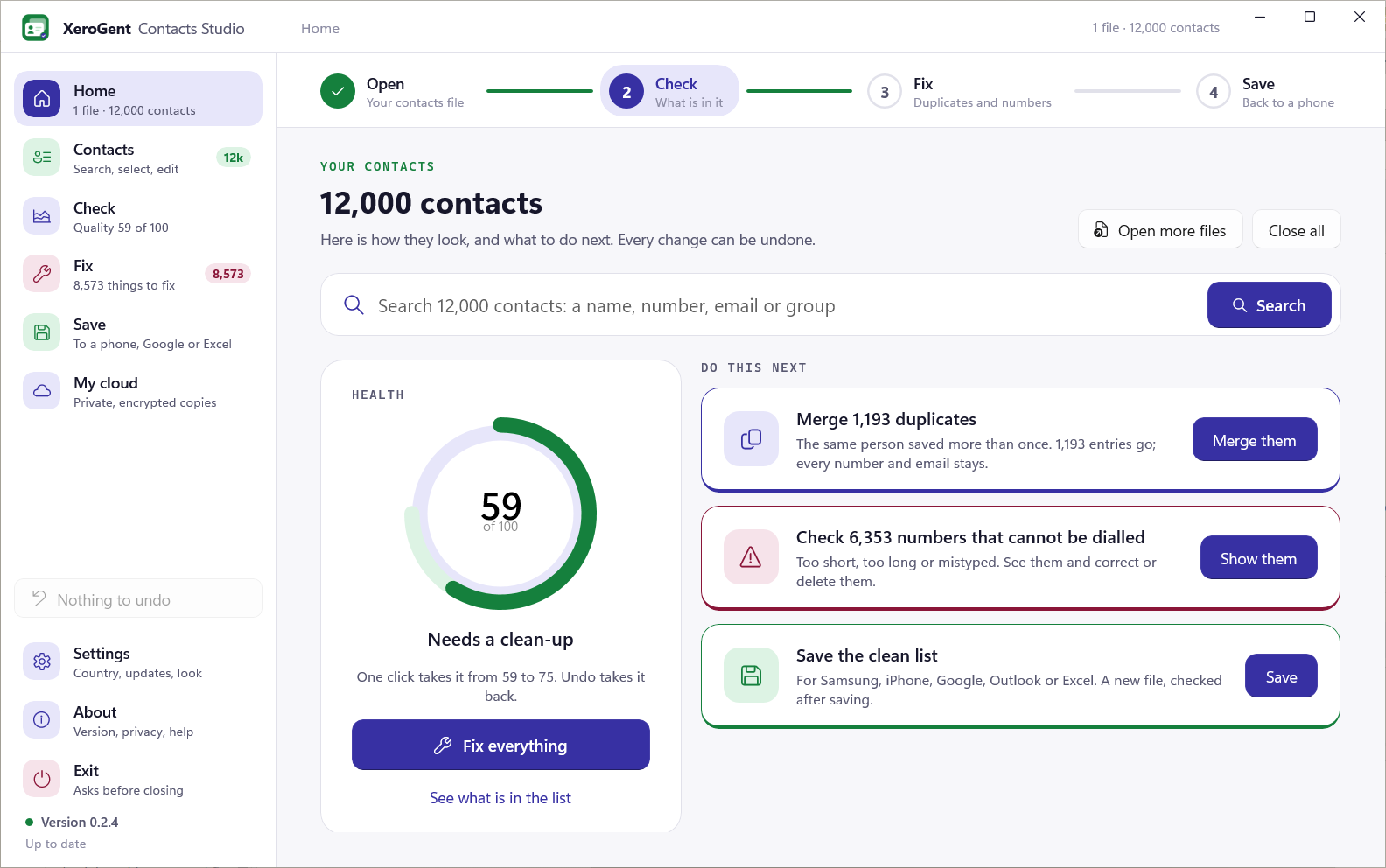
The health of the whole list, and the next three things worth doing, each with its own button. Search from here and everything on Home is about the matches only.
What it fixes
Arabic, Urdu, Hindi and other names that came out as Ø£Øمد read correctly again, from whatever old encoding the phone used.
The same person saved twice with the number written differently becomes one card, keeping every number and email. A family or office number no longer joins different people.
Country, mobile or landline, valid or not, with Google's phone number data built into the app. Nothing is looked up online.
Type a name, a number or a group on Home. The best matches appear as you type, and every figure and button then works on those contacts only.
Click, Shift+click or Ctrl+A in the list, then delete, merge, add the country code, set groups, export or copy only those.
Each fix is one step on the undo list. Nothing reaches a file until you save, and saving makes a new file.
Before and after
One contact as an old Samsung phone exported it, with the name in quoted-printable bytes and the same number written twice, two different ways. Next to it, the same person after Fix. Drag the handle to compare.
Privacy
A 20-character recovery key is shown once when you create the vault. Without your password or that key, nobody can open it, XeroGent included.

Download
For Windows 10 (2004 or later) and Windows 11, 64-bit. The setup window installs it in a minute; the app then updates itself.
Asking the server for the newest version…
Releases
Questions
Nothing. Contacts Studio is free, with no account, no trial and no adverts. My cloud is free too.
No. Your files are opened and checked on your PC, and numbers are checked with data inside the app. Only when you choose to save to My cloud does a copy leave your PC, and it is encrypted with your password first.
Never. The app only reads the files you open. Saving always writes a new file, and the app reads it back to check it.
On Android, open Contacts, then Manage contacts or Settings, and choose Export to a .vcf file; copy it to your PC. On iPhone, sign in at iCloud.com, open Contacts, select all and export a vCard. Google Contacts and Outlook can export CSV, which the app opens as well.
Save for Samsung and Android or for iPhone and iCloud, then open the new .vcf on the phone (or import it at contacts.google.com or iCloud.com). For a single person, the contact card in the app shows a QR code the phone's camera can read.
Windows 10 version 2004 or later, or Windows 11, on a 64-bit PC. Everything it needs comes in the setup.
From Settings › Apps in Windows, like any app. The XeroGent setup window opens and removes the app, its shortcuts and its settings. The contact files you saved stay where you saved them.
About
Every contact file, readable and clean, back on any phone. Contacts Studio is one of XeroGent's standalone Windows apps, made and looked after by XeroGent.
Free for Windows 10 and 11. Version 0.2, and it updates itself.